.wv-mbk{font-family:inherit;color:#000;line-height:1.55;-webkit-font-smoothing:antialiased}
.wv-mbk *,.wv-mbk *:before,.wv-mbk *:after{box-sizing:border-box}
.wv-mbk .mbk-wrap{max-width:1140px;margin:0 auto;padding:0 22px}
.wv-mbk h1,.wv-mbk h2,.wv-mbk h3{line-height:1.15;margin:0 0 18px;font-weight:800}
.wv-mbk p{margin:0 0 16px}
.wv-mbk .mbk-hero{background:linear-gradient(135deg,#000 0%,#00131f 55%,#003a5c 100%);color:#fff;padding:84px 0 64px;text-align:center}
.wv-mbk .mbk-eyebrow{display:inline-block;border:1px solid #0085CA;color:#fff;background:rgba(0,133,202,.15);border-radius:30px;padding:8px 18px;font-size:13px;letter-spacing:1.5px;font-weight:700;margin-bottom:26px}
.wv-mbk .mbk-hero h1{font-size:48px;color:#fff;max-width:900px;margin:0 auto 20px}
.wv-mbk .mbk-hero h1 span{color:#0085CA}
.wv-mbk .mbk-hero .mbk-sub{font-size:20px;color:#e8f4fb;max-width:780px;margin:0 auto 34px}
.wv-mbk .mbk-btn{display:inline-block;background:#0085CA;color:#fff !important;font-weight:800;font-size:18px;padding:18px 42px;border-radius:8px;text-decoration:none;letter-spacing:.5px;transition:transform .15s ease,box-shadow .15s ease;box-shadow:0 6px 22px rgba(0,133,202,.45)}
.wv-mbk .mbk-btn:hover{transform:translateY(-2px);box-shadow:0 10px 28px rgba(0,133,202,.6)}
.wv-mbk .mbk-btn–ghost{background:transparent;border:2px solid #fff;box-shadow:none;margin-left:12px}
.wv-mbk .mbk-callnote{margin-top:16px;font-size:15px;color:#bcd9ea}
.wv-mbk .mbk-callnote a{color:#fff;font-weight:700;text-decoration:underline}
.wv-mbk .mbk-chips{display:grid;grid-template-columns:repeat(auto-fit,minmax(170px,1fr));gap:14px;max-width:900px;margin:44px auto 0}
.wv-mbk .mbk-chip{background:rgba(255,255,255,.06);border:1px solid rgba(0,133,202,.5);border-radius:10px;padding:18px 10px}
.wv-mbk .mbk-chip b{display:block;font-size:30px;color:#0085CA;font-weight:900}
.wv-mbk .mbk-chip span{font-size:13px;color:#fff;letter-spacing:.5px;font-weight:600}
.wv-mbk .mbk-heroimg{display:block;width:100%;max-width:1140px;margin:-40px auto 0;border-radius:14px;box-shadow:0 18px 50px rgba(0,0,0,.35);position:relative}
.wv-mbk .mbk-heroimg img{width:100%;height:auto;display:block;border-radius:14px}
.wv-mbk .mbk-section{padding:72px 0}
.wv-mbk .mbk-section–grey{background:#f4f4f4}
.wv-mbk .mbk-section–dark{background:#000;color:#fff}
.wv-mbk .mbk-section–dark h2{color:#fff}
.wv-mbk h2{font-size:36px;color:#000}
.wv-mbk .mbk-kicker{color:#0085CA;font-size:14px;font-weight:800;letter-spacing:2px;text-transform:uppercase;margin-bottom:10px}
.wv-mbk .mbk-lead{font-size:19px;max-width:860px}
.wv-mbk .mbk-2col{display:grid;grid-template-columns:1.1fr .9fr;gap:48px;align-items:center}
.wv-mbk .mbk-2col img{width:100%;height:auto;border-radius:12px;box-shadow:0 10px 30px rgba(0,0,0,.15)}
.wv-mbk .mbk-truth{background:#000;color:#fff;text-align:center;padding:54px 22px}
.wv-mbk .mbk-truth p.big{font-size:32px;font-weight:900;margin:0 0 8px;color:#fff}
.wv-mbk .mbk-truth p.tag{font-size:18px;color:#0085CA;font-weight:700;margin:0}
.wv-mbk .mbk-surfaces{display:grid;grid-template-columns:repeat(auto-fit,minmax(220px,1fr));gap:18px;margin-top:36px}
.wv-mbk .mbk-surface{background:#fff;border:1px solid #e3e3e3;border-top:4px solid #0085CA;border-radius:10px;padding:26px 22px}
.wv-mbk .mbk-surface h3{font-size:19px;margin-bottom:8px}
.wv-mbk .mbk-surface p{font-size:15px;margin:0;color:#000}
.wv-mbk .mbk-steps{display:grid;grid-template-columns:repeat(auto-fit,minmax(230px,1fr));gap:22px;margin-top:40px}
.wv-mbk .mbk-step{background:#fff;border-radius:12px;padding:30px 24px;border:1px solid #e6e6e6;box-shadow:0 4px 14px rgba(0,0,0,.06)}
.wv-mbk .mbk-step .num{width:46px;height:46px;border-radius:50%;background:#0085CA;color:#fff;font-weight:900;font-size:21px;display:flex;align-items:center;justify-content:center;margin-bottom:16px}
.wv-mbk .mbk-step h3{font-size:20px}
.wv-mbk .mbk-step p{font-size:15px;margin:0}
.wv-mbk .mbk-case{display:grid;grid-template-columns:1fr 1fr;gap:40px;align-items:center}
.wv-mbk .mbk-case-stats{display:grid;grid-template-columns:1fr 1fr;gap:16px}
.wv-mbk .mbk-case-stat{background:#fff;border-radius:10px;padding:22px;text-align:center;border:1px solid rgba(0,133,202,.35)}
.wv-mbk .mbk-case-stat b{display:block;font-size:34px;color:#0085CA;font-weight:900}
.wv-mbk .mbk-case-stat span{font-size:13px;font-weight:700;letter-spacing:.5px;color:#000}
.wv-mbk .mbk-quote{border-left:5px solid #0085CA;padding:6px 0 6px 24px;font-size:20px;font-style:italic;margin:26px 0 8px}
.wv-mbk .mbk-quote-attr{font-weight:700;font-size:15px}
.wv-mbk .mbk-why{display:grid;grid-template-columns:repeat(auto-fit,minmax(300px,1fr));gap:20px;margin-top:38px}
.wv-mbk .mbk-why-card{background:rgba(255,255,255,.05);border:1px solid rgba(0,133,202,.45);border-radius:12px;padding:28px 24px}
.wv-mbk .mbk-why-card h3{color:#0085CA;font-size:19px;margin-bottom:10px}
.wv-mbk .mbk-why-card p{color:#fff;font-size:15px;margin:0}
.wv-mbk .mbk-faq{max-width:860px;margin:36px auto 0}
.wv-mbk details{background:#fff;border:1px solid #e3e3e3;border-radius:10px;margin-bottom:12px;padding:0;overflow:hidden}
.wv-mbk summary{cursor:pointer;font-weight:800;font-size:17px;padding:20px 24px;list-style:none;position:relative}
.wv-mbk summary:after{content:”+”;position:absolute;right:22px;top:16px;font-size:24px;color:#0085CA;font-weight:900}
.wv-mbk details[open] summary:after{content:”\2212″}
.wv-mbk details .a{padding:0 24px 20px;font-size:16px}
.wv-mbk .mbk-cta-final{background:linear-gradient(135deg,#003a5c 0%,#00131f 60%,#000 100%);color:#fff;text-align:center;padding:80px 22px}
.wv-mbk .mbk-cta-final h2{color:#fff;font-size:38px}
.wv-mbk .mbk-cta-final p{font-size:19px;color:#dceefb;max-width:700px;margin:0 auto 32px}
.wv-mbk .mbk-links{padding:34px 0;text-align:center;font-size:15px}
.wv-mbk .mbk-links a{color:#0085CA;font-weight:700;text-decoration:none;margin:0 14px}
.wv-mbk .mbk-links a:hover{text-decoration:underline}
@media(max-width:880px){
.wv-mbk .mbk-hero h1{font-size:34px}
.wv-mbk h2{font-size:28px}
.wv-mbk .mbk-2col,.wv-mbk .mbk-case{grid-template-columns:1fr}
.wv-mbk .mbk-btn–ghost{margin-left:0;margin-top:12px}
.wv-mbk .mbk-hero{padding:60px 0 50px}
.wv-mbk .mbk-truth p.big{font-size:24px}
}
.wv-mbk .mbk-callnote,.wv-mbk .mbk-audience,.wv-mbk .mbk-cta-final p{color:#e8f4fb}
.wv-mbk .mbk-audience{font-size:15px;margin:12px auto 0;max-width:780px}
.wv-mbk .mbk-chip b,.wv-mbk .mbk-truth p.tag,.wv-mbk .mbk-section–dark .mbk-kicker,.wv-mbk .mbk-why-card h3{color:#fff}
.wv-mbk .mbk-subsection{margin-top:48px}
.wv-mbk .mbk-subsection h3{font-size:24px}
.wv-mbk .mbk-table-scroll{overflow-x:auto;max-width:100%;margin:24px 0;border:1px solid #e3e3e3;border-radius:10px;background:#fff}
.wv-mbk table{width:100%;min-width:620px;border-collapse:collapse;font-size:15px;text-align:left;color:#000}
.wv-mbk caption{text-align:left;padding:18px 20px;font-weight:800;background:#fff;color:#000}
.wv-mbk th,.wv-mbk td{padding:16px 20px;border-bottom:1px solid #e3e3e3;vertical-align:top}
.wv-mbk thead th{background:#000;color:#fff;font-weight:800}
.wv-mbk tbody th{font-weight:800;width:24%}
.wv-mbk tbody tr:last-child th,.wv-mbk tbody tr:last-child td{border-bottom:0}
.wv-mbk .mbk-report{min-width:760px}
.wv-mbk .mbk-note{font-size:15px}
.wv-mbk .mbk-text-link{display:inline-flex;align-items:center;min-height:44px;color:#00689e;font-weight:700;text-decoration:underline}
.wv-mbk .mbk-proof-link{margin-top:30px}
.wv-mbk .mbk-case h3{font-size:24px}
.wv-mbk .wv-mbk-book{background:#fff;border:1px solid #e3e3e3;border-radius:14px;box-shadow:0 18px 50px rgba(0,0,0,.15);overflow:hidden;margin-top:32px}
.wv-mbk .wv-mbk-book iframe{display:block}
.wv-mbk summary{padding-right:56px;min-height:44px}
.wv-mbk summary::-webkit-details-marker{display:none}
.wv-mbk .mbk-links a{display:inline-flex;align-items:center;min-height:44px;color:#00689e}
.wv-mbk a:focus-visible,.wv-mbk summary:focus-visible,.wv-mbk .mbk-table-scroll:focus-visible{outline:3px solid #0085CA;outline-offset:4px}
@media(max-width:880px){
.wv-mbk .mbk-steps,.wv-mbk .mbk-why,.wv-mbk .mbk-surfaces,.wv-mbk .mbk-case-stats{grid-template-columns:1fr}
.wv-mbk .mbk-chips{grid-template-columns:repeat(2,minmax(0,1fr))}
.wv-mbk .mbk-btn{display:block;width:100%;padding:18px 16px}
.wv-mbk .mbk-hero .mbk-sub{font-size:18px}
.wv-mbk .mbk-cta-final h2{font-size:28px}
.wv-mbk .mbk-eyebrow{letter-spacing:1px}
}
WE SHOW YOU HOW SALES ARE COUNTED.
Facebook Sales Event Matchback: See Which Sales Connect to Your Event
Your Facebook sales event matchback connects your sold log to event appointments and conversations. Willowood runs the Meta ads. Our live US-based bilingual BDC sets appointments in Willowood’s proprietary CRM, and you get a live login. Your dealership sells the cars. We separate matched sales from estimated additional sales so you can judge the result.
BOOK MY DEMO
CALL (843) 310-4108
Review how we would measure your event.
This page is for dealership owners, GMs, GSMs, marketing directors, and independent owners.
600+DEALER PARTNERS
150+SET APPOINTMENTS PER EVENT
98.6%LEAD RESPONSE RATE
90%REBOOK RATE
You need to know what sold.
Dealership Marketing Matchback Starts With Your Sold Log
When the floor is slow, aged inventory sits, or the month is behind, a lead count does not tell you whether advertising helped. Unanswered leads make that gap worse. You need to see which buyers had event conversations, which appointments showed, and which customers bought.
After the event, we compare your sold log with the appointments and conversations in our CRM. We match buyer names, phone numbers, email addresses, and sale dates within agreed reporting windows. We remove duplicate records and flag opportunities that were already in your dealership’s pipeline.
A match establishes a connection. It does not establish that the sale was additional. Your review should show matched sales separately from estimated additional sales, with the evidence and limits beside each figure. That gives the owner a report they can question and use.
“A matched sale is not automatically an additional sale.”
We don’t wait for traffic. We create it.
We agree on the rules before launch.
How Your Facebook Sales Event Matchback Works
1
We define the window.
Agree on the event dates and a follow-on window before launch. A 30-day follow-on window is an example you can change. Define costs, gross, and the baseline for estimating additional sales.
2
We record event activity.
Willowood runs the Meta ads. Our live US-based bilingual BDC works 24/7/365 in English and Spanish and sets appointments in our proprietary CRM. You get a live login. Your team confirms shows and sells the cars.
3
We reconcile the sold log.
Compare names and normalized contact details with dated event records. Review ambiguous matches rather than accepting a name alone. Remove duplicate records, count each sold unit once, and flag existing opportunities.
4
We review the evidence.
Separate event-period sales from follow-on sales. Report matched units and estimated additional units separately. Show overlaps, unresolved records, dealer-defined gross, and the assumptions behind the comparison.
How to Measure a Car Dealership Sales Event
Agree on these definitions before the first ad runs. Keep the counts separate so a set appointment never becomes a show or a sale without supporting records.
Your dealership supplies the sales record.
Provide a sold log with buyer name, phone, email, and sale date for the agreed window. Include a deal identifier and status to distinguish separate purchases from duplicate rows. Add gross if you want it reported, and identify canceled or unwound deals.
Provide confirmed appointment attendance and a dated snapshot of opportunities already in your pipeline before launch. Agree on a comparison baseline using comparable sales periods, and supply the total event cost. Missing pipeline history limits what we can say about existing opportunities.
Willowood supplies the event appointment and conversation records from our proprietary CRM. Your team gets a live login to review activity as the event runs.
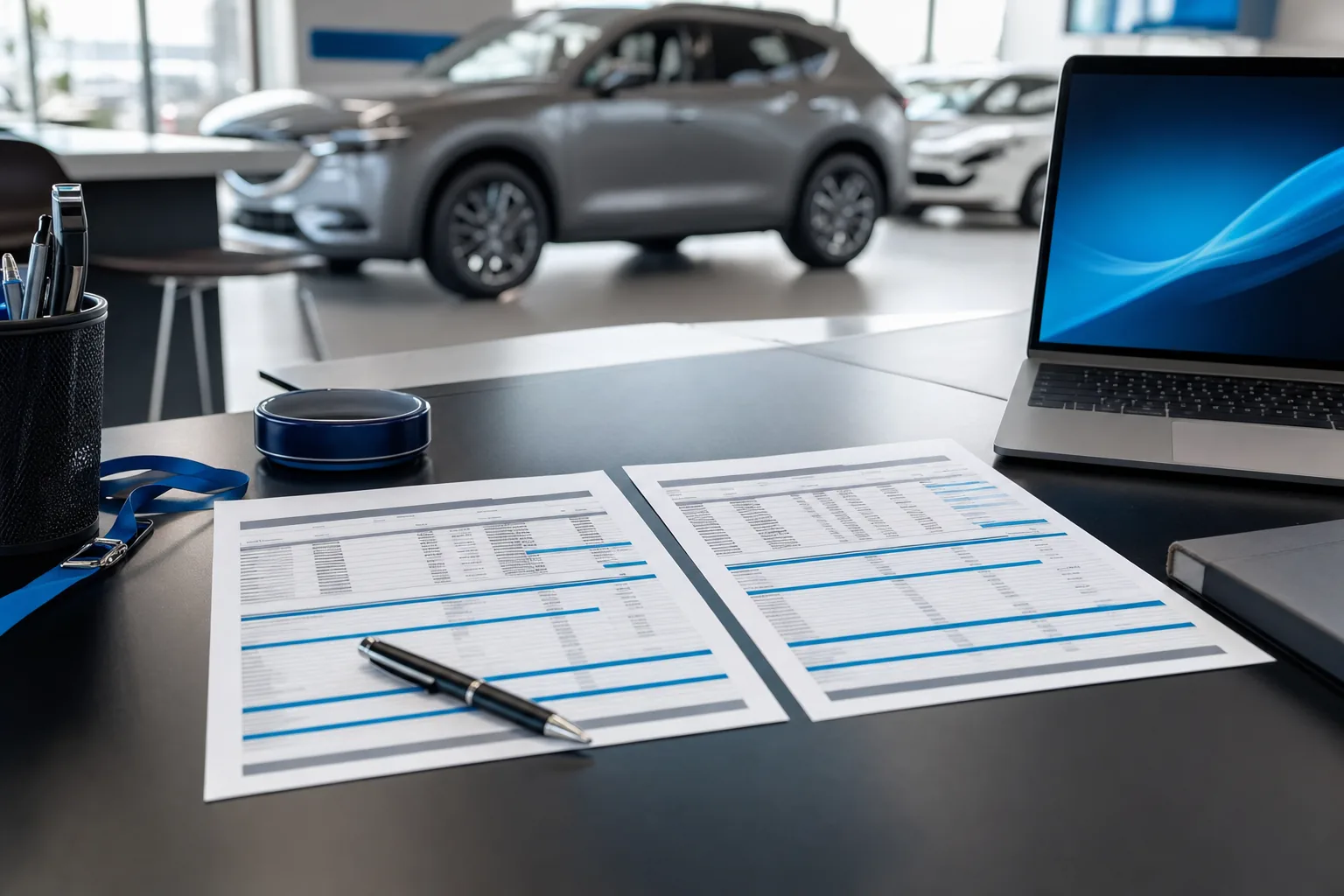
You can review the report before you commit.
This sample shows the layout and definitions to discuss on your demo. Every value below is a placeholder. These are not event results.
Keep a supporting record of each match, its event connection, pipeline flag, and any unresolved issue. Report a cost metric as not calculable when its denominator is zero or unknown.
Cost per Sold Unit Gives Your Dealership More Context
A low cost per lead can still leave your floor quiet. Cost per shown appointment tells you what you spent to bring confirmed appointment buyers into the store. Cost per matched sold unit connects event cost to completed sales with a documented event connection.
Divide total event cost by confirmed shows for cost per shown appointment. Divide that same cost by unique matched sold units for cost per matched sold unit. Calculate cost per estimated additional sold unit separately only when the additional-unit estimate is supportable.
Review gross alongside those costs. Cost per lead can help diagnose advertising performance, but it cannot tell the owner what showed, what sold, or what gross the matched deals produced.
Dealership Marketing Attribution Has Limits
Buyers see other ads, return to stores they know, and speak with your staff before an event begins. A contact match cannot isolate what caused a purchase. Missing phone numbers, shared emails, and incomplete sold logs can also leave matches unresolved.
A longer follow-on window can capture later purchases, but it also creates more room for other influences. Keep that window fixed once the event starts. Report unmatched sales and uncertain records without assigning them to Willowood.
You can compare vendors on the same terms.
Use the same reporting windows, cost inclusions, show confirmation rules, gross definition, and duplicate-removal rules for each vendor. Flag buyers who appear in more than one vendor’s records. Do not give each vendor exclusive credit for the same sale.
Compare periods with similar inventory, staffing, offers, and sales conditions. Record differences that could affect the result. A before-and-after comparison can inform a decision, but it does not isolate the event’s effect. Agree on the baseline before launch so the comparison does not change to fit the outcome.
You can examine a reported event result.
Automotive Advertising Case Studies Need Context
A Nissan dealer in Illinois ran a 4-day event.
The event produced 167 set appointments, 37 extra units, and $128K gross. This is one event result, not a forecast for your dealership.
The case summary reports extra units. It does not provide the underlying sold log, match rules, or comparison baseline here. Review those definitions when evaluating any case study. The example report above contains no figures from this event.
167SET APPOINTMENTS
37EXTRA UNITS
$128KGROSS
4DAYS
Review our automotive case studies
We handle the ads and appointment setting.
Why Dealerships Choose Willowood
We work to a set appointment target.
Every package carries a set appointment target. If we miss it, we keep working at no extra cost until we hit it.
You get a live CRM login.
Appointments and conversations live in Willowood’s proprietary CRM. Your dealership gets a live login to review the activity behind the event.
Our BDC answers around the clock.
Our live US-based bilingual BDC works in English and Spanish 24/7/365. We have a 98.6% lead response rate and under 3 minutes average response.
We run the Meta ads.
Willowood is a Meta Certified Business Partner. We run 10 to 20 ad creatives per event and handle the advertising while your team sells the cars.
We serve one dealer per market.
We work with one dealer per market during the event window. Your event has a defined market and agreed dates.
Dealers return for another event.
Willowood has 600+ dealer partners and a 90% rebook rate. Your decision should still rest on your store’s appointments, shows, sold units, and gross.
We can define your measurement plan together.
Book Your Demo
Review how we would measure your event, including your sold log, reporting window, and the distinction between matched and additional sales.
(function(){try{var f=document.getElementById(“wv-mbk-bookframe”);if(f&&location.search){var b=f.getAttribute(“src”);f.setAttribute(“src”,b+(b.indexOf(“?”)>-1?”&”:”?”)+location.search.replace(/^\?/,””));}}catch(e){}})();
You should know what the report can prove.
Facebook Sales Event Matchback FAQs
What is a Facebook sales event matchback?
A Facebook sales event matchback compares your sold log with the appointments and conversations in Willowood's proprietary CRM. We use the agreed event and follow-on windows, remove duplicates, and flag existing opportunities. A matched sale shows a connection to event activity. It does not prove the event created an additional sale.
What do I provide for a dealership marketing matchback?
Provide the sold log with buyer name, phone, email, and sale date for the agreed window. Include a deal identifier, deal status, and gross if you want gross reported. Also provide confirmed shows and a dated record of opportunities already in your pipeline before launch. Agree on event costs and a comparison baseline before the event.
How do I measure a car dealership sales event?
Count set appointments, confirmed shows, unique matched sold units, and estimated additional sold units separately. Review dealer-defined gross and total event cost alongside those counts. Use the same reporting window and definitions throughout. Cost per shown appointment and cost per matched sold unit connect spending to showroom activity and sales.
Can dealership marketing attribution prove additional sales?
Matchback alone cannot prove additional sales. A buyer may already be in your pipeline or may respond to other advertising. Flag those overlaps and compare actual sales with an agreed baseline. Label additional sales as an estimate, disclose the method, and leave the figure undetermined when the evidence is insufficient.
How do I calculate cost per sold unit for my dealership?
Divide the agreed total event cost by unique matched sold units to calculate cost per matched sold unit. Calculate cost per estimated additional sold unit separately only when the additional-unit estimate is supportable. Include the event fee and ad spend without counting bundled spend twice. If a denominator is zero or unknown, report the metric as not calculable.
What should automotive advertising case studies show?
Look for the event length, set appointments, sold units, and the definition of gross. Ask whether sold units are matched or additional and how that distinction was established. A Nissan dealer in Illinois reported 167 set appointments, 37 extra units, and $128K gross during a 4-day event. That is one event result, not a forecast for your store.
How long is the matchback window, and how are duplicates handled?
Agree on the event dates and a follow-on window before launch. A 30-day follow-on window is an example that your dealership can change. Report event-period and follow-on sales separately. Normalize contact details, review ambiguous matches, and count each sold unit once. Repeated conversations or rescheduled appointments do not create extra sold units.
How do I compare Willowood with another vendor fairly?
Give each vendor the same date rules, cost definition, sold-unit counting rules, existing-pipeline flags, and dealer-confirmed show records. Compare inventory, staffing, offers, and sales conditions as well. Flag shared buyers instead of giving each vendor exclusive credit. Judge cost per shown appointment and cost per matched sold unit alongside the evidence for any estimated additional sales.
Know How Your Event Will Be Measured Before It Starts
Review how we would measure your event. We will walk through what your dealership provides, what our CRM records, and how to judge appointments, shows, sold units, and gross.
BOOK MY DEMO
CALL (843) 310-4108
{
“@context”: “https://schema.org”,
“@type”: “Service”,
“name”: “Facebook Sales Event Matchback”,
“serviceType”: “Facebook sales event measurement and matchback”,
“description”: “Willowood runs Meta ads and sets appointments through a live US-based bilingual BDC in its proprietary CRM. Matchback connects dealer sold logs to event records and separates matched sales from estimated additional sales.”,
“provider”: {
“@type”: “Organization”,
“name”: “Willowood Ventures”,
“url”: “https://willowoodventures.com//”,
“telephone”: “+1-843-310-4108”
},
“areaServed”: “US”
}
{
“@context”: “https://schema.org”,
“@type”: “FAQPage”,
“mainEntity”: [
{
“@type”: “Question”,
“name”: “What is a Facebook sales event matchback?”,
“acceptedAnswer”: {
“@type”: “Answer”,
“text”: “A Facebook sales event matchback compares your sold log with the appointments and conversations in Willowood’s proprietary CRM. We use the agreed event and follow-on windows, remove duplicates, and flag existing opportunities. A matched sale shows a connection to event activity. It does not prove the event created an additional sale.”
}
},
{
“@type”: “Question”,
“name”: “What do I provide for a dealership marketing matchback?”,
“acceptedAnswer”: {
“@type”: “Answer”,
“text”: “Provide the sold log with buyer name, phone, email, and sale date for the agreed window. Include a deal identifier, deal status, and gross if you want gross reported. Also provide confirmed shows and a dated record of opportunities already in your pipeline before launch. Agree on event costs and a comparison baseline before the event.”
}
},
{
“@type”: “Question”,
“name”: “How do I measure a car dealership sales event?”,
“acceptedAnswer”: {
“@type”: “Answer”,
“text”: “Count set appointments, confirmed shows, unique matched sold units, and estimated additional sold units separately. Review dealer-defined gross and total event cost alongside those counts. Use the same reporting window and definitions throughout. Cost per shown appointment and cost per matched sold unit connect spending to showroom activity and sales.”
}
},
{
“@type”: “Question”,
“name”: “Can dealership marketing attribution prove additional sales?”,
“acceptedAnswer”: {
“@type”: “Answer”,
“text”: “Matchback alone cannot prove additional sales. A buyer may already be in your pipeline or may respond to other advertising. Flag those overlaps and compare actual sales with an agreed baseline. Label additional sales as an estimate, disclose the method, and leave the figure undetermined when the evidence is insufficient.”
}
},
{
“@type”: “Question”,
“name”: “How do I calculate cost per sold unit for my dealership?”,
“acceptedAnswer”: {
“@type”: “Answer”,
“text”: “Divide the agreed total event cost by unique matched sold units to calculate cost per matched sold unit. Calculate cost per estimated additional sold unit separately only when the additional-unit estimate is supportable. Include the event fee and ad spend without counting bundled spend twice. If a denominator is zero or unknown, report the metric as not calculable.”
}
},
{
“@type”: “Question”,
“name”: “What should automotive advertising case studies show?”,
“acceptedAnswer”: {
“@type”: “Answer”,
“text”: “Look for the event length, set appointments, sold units, and the definition of gross. Ask whether sold units are matched or additional and how that distinction was established. A Nissan dealer in Illinois reported 167 set appointments, 37 extra units, and $128K gross during a 4-day event. That is one event result, not a forecast for your store.”
}
},
{
“@type”: “Question”,
“name”: “How long is the matchback window, and how are duplicates handled?”,
“acceptedAnswer”: {
“@type”: “Answer”,
“text”: “Agree on the event dates and a follow-on window before launch. A 30-day follow-on window is an example that your dealership can change. Report event-period and follow-on sales separately. Normalize contact details, review ambiguous matches, and count each sold unit once. Repeated conversations or rescheduled appointments do not create extra sold units.”
}
},
{
“@type”: “Question”,
“name”: “How do I compare Willowood with another vendor fairly?”,
“acceptedAnswer”: {
“@type”: “Answer”,
“text”: “Give each vendor the same date rules, cost definition, sold-unit counting rules, existing-pipeline flags, and dealer-confirmed show records. Compare inventory, staffing, offers, and sales conditions as well. Flag shared buyers instead of giving each vendor exclusive credit. Judge cost per shown appointment and cost per matched sold unit alongside the evidence for any estimated additional sales.”
}
}
]
}